Chore Board for Kids: How to Build One (or Use a Smarter App)
A chore board is a simple, visual way to show kids what needs to be done around the house. It turns abstract responsibilities into something they can see, touch, and check off. For parents in Calgary juggling busy schedules, a chore board can be the difference between nagging and a system that actually works.
But here's the thing: not all chore boards are created equal. Some are magnetic, some are printable, and some live inside an app. In this guide, we'll break down what a chore board is, how to make one, and why a digital option like KidKarma might be the smartest choice for your family.
What is chore board?
Image 1 Start:
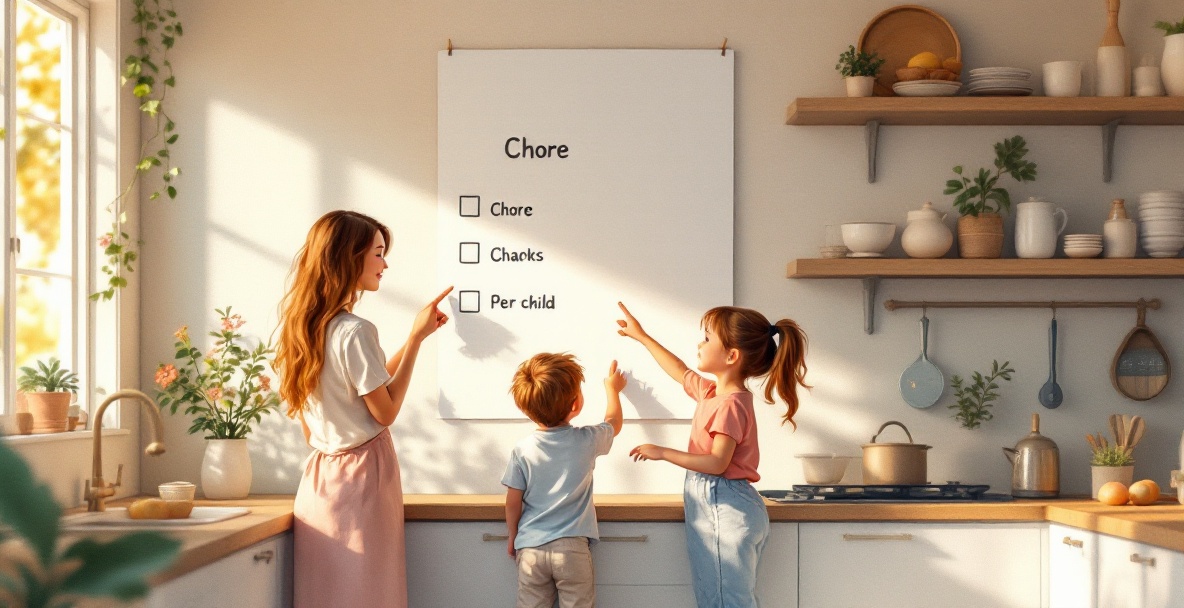
A chore board is a visual tool that lists household tasks for kids. It's usually divided into columns or sections—one per child—with each task represented by a card, sticker, or checkbox. The purpose is simple: make chores visible, track progress, and give kids a sense of accomplishment when they complete a task.
Chore boards have been around for decades. The classic version is a whiteboard or corkboard with magnets or Velcro. Then came printable charts you could hang on the fridge. Now, apps like KidKarma are taking the concept digital, adding features like automatic reminders and reward tracking.
How chore board works
The mechanics of a chore board are straightforward:
- List the chores – Write down age-appropriate tasks for each child.
- Assign them – Give each child their own column or section.
- Track completion – Kids move a card, place a sticker, or check a box when done.
- Reward progress – Some boards include a reward system, like points or allowance.
Physical boards rely on you to update them and remember to check them. Digital boards, like KidKarma, automate the tracking and even sync across devices—so both parents can see progress in real time.
Best practices
To get the most out of a chore board, follow these best practices:
- Keep it simple – Start with one or two chores per child. Overloading leads to overwhelm.
- Be consistent – Use the board every day, not just when you remember.
- Make it visible – Place it where kids will see it, like the kitchen or hallway.
- Celebrate wins – Acknowledge completed tasks, even small ones.
- Adjust as needed – Update chores as kids grow and skills improve.
What is a chore board?
A chore board is more than just a list. It's a visual contract between you and your child. It says, "These are your responsibilities, and I trust you to handle them." For kids, it provides clarity and a sense of ownership.
There are three main types:
- Physical boards – Whiteboards, magnetic boards, or corkboards with cards.
- Printable charts – Paper templates you can download and hang.
- Digital apps – Like KidKarma, which offer interactive tracking and rewards.
Each has its pros and cons. Physical boards are tangible but require manual updates. Printables are cheap but easy to ignore. Apps are convenient but require a device.
What chores are good for kids with ADHD?
Kids with ADHD often struggle with executive function—planning, focusing, and following through. Chores that are short, concrete, and have a clear end point work best. Here are some examples:
- Sorting laundry – Simple, repetitive, and visually satisfying.
- Wiping tables – A quick task with immediate results.
- Feeding pets – Routine and predictable.
- Putting away toys – Clear categories make it easier.
Avoid chores that require multiple steps or extended focus, like cleaning a whole room. Break larger tasks into smaller, manageable pieces.
What are 10 common household chores?
Here are ten chores that work well for kids aged 3–16, with age ranges in parentheses:
- Making the bed (3+)
- Putting toys away (3+)
- Setting the table (5+)
- Clearing the table (6+)
- Sweeping floors (7+)
- Folding laundry (8+)
- Loading the dishwasher (8+)
- Taking out the trash (10+)
- Cleaning the bathroom (12+)
- Mowing the lawn (14+)
Adjust based on your child's ability and maturity.
What chores should a 7 year old be doing?
A 7-year-old is capable of more than you might think. They can handle chores that require a bit of responsibility but not too much complexity. Good options include:
- Making their bed – Simple and routine.
- Clearing the table – Easy to do after meals.
- Sweeping floors – With a small broom or dustpan.
- Putting away groceries – Sorting items by category.
- Feeding pets – With supervision.
These chores build confidence and independence.
Why a Chore Board App Beats Physical Boards
Physical boards have their charm, but they come with hidden costs: lost magnets, faded markers, and the constant need to update them. A chore board app like KidKarma solves these problems and more.
Real-Time Progress Tracking
With KidKarma, you can see at a glance which chores are done and which are pending. No more asking, "Did you feed the dog?" The app shows you.
Co-Parent Sync
For separated or divorced parents, keeping routines consistent across two homes is tough. KidKarma syncs chore lists and progress between parents, so everyone stays on the same page. This is a game-changer for co-parenting.
Built-In Reward Systems
KidKarma lets you set up a reward system that actually motivates kids. Whether it's points, stars, or allowance, the app tracks it automatically. You don't have to remember to hand out stickers.
Task Scheduling & Reminders
Set chores to repeat daily, weekly, or on specific days. The app sends reminders to your kids, so you don't have to nag. It's like having a chore coach in your pocket.
How to Make a DIY Chore Board
If you prefer a hands-on approach, here's how to make a simple chore board at home. You'll need a whiteboard or corkboard, magnets or clothespins, and index cards or paper.
- Divide the board – Create a column for each child.
- Write chores – On index cards, write each chore with a small icon or picture.
- Attach cards – Use magnets or clothespins to attach the cards to the board.
- Add a reward section – At the bottom, add a space for points or stickers.
- Review daily – At the end of each day, move completed cards to a "done" section.
For a printable option, you can find free templates online, like those from Canva. But remember, printables require you to print, cut, and update them—something an app does automatically.
Common Chore Board Mistakes (and How to Avoid Them)
Even with the best intentions, chore boards can fail. Here are common mistakes and how to avoid them:
- Overloading kids – Start with one or two chores, not a full list. Add more as they succeed.
- Inconsistent follow-through – Use the board every day. If you ignore it, so will your kids.
- No rewards or recognition – Kids need motivation. Even a simple "thank you" goes a long way.
- Not adjusting for age – A 4-year-old can't vacuum the whole house. Match chores to ability.
Conclusion
A chore board is a powerful tool for teaching responsibility and building habits. Whether you choose a physical board, a printable chart, or a digital app like KidKarma, the key is to start simple and stay consistent.
If you're ready to ditch the magnets and markers, try KidKarma. It's designed for Calgary families who want a smarter way to manage chores, rewards, and co-parenting. Sign up today and see the difference.
For more tips, check out our age-appropriate chore guide or positive reinforcement strategies.