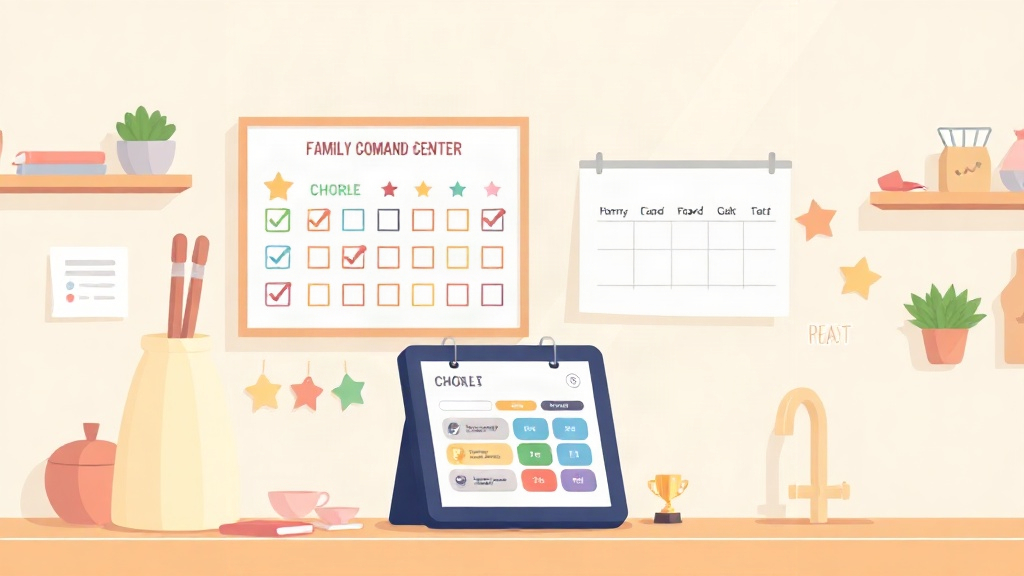
Quick Answer: A chore list for families works best when it holds four things in one place: tasks, point values, parent approval, and rewards. Kids earn points for completing tasks, unlock rewards, and build positive habits while parents stay organized and connected. Paper charts and plain shared lists usually cover only the first piece.
A chore list for families only works when it holds four things in one place: tasks, point values, parent approval, and rewards. Most paper charts and shared to-do lists cover just the first piece, so the system fades within a few weeks.
KidKarma is built around those four steps. Kids earn points for completing tasks, unlock rewards, and build positive habits while parents stay organized and connected. The sections below show how to set that up, how a family task list differs from a chore list, and what to use if a general list app is not holding up.
What a Chore List for Families Actually Needs to Do
A chore list for families needs to answer four questions: what gets done, what it is worth, who confirms it, and what the child gets for it. Skip any one of those and the list becomes a suggestion rather than a system.
Tasks come first. Each chore needs a name a child can read and a clear finish line, like "tidy your room before dinner" rather than "help out." Point values come second, because points are what turn a list into progress a child can see. Approval comes third: a parent confirms the work, which keeps the system fair between siblings. Rewards come last, and they close the loop.
Worth Knowing: KidKarma's 14-day free trial requires a card, includes every feature, and costs nothing if you cancel before the trial ends. Plans start at $4.99/month or $29.99/year after your free trial.
If you are still choosing which chores fit each child, start with chore lists for families organized by age, from toddlers through teens.
Family Lists Vs. a Dedicated Chore and Reward System
Family lists and chore-and-reward systems solve different problems. A family list tracks shared information: groceries, appointments, who is picking up whom. A chore system tracks effort, approval, and points.
Cozi is the best-known name in the family list category, and it earns that spot for calendars and shopping lists. A calendar does not know that your 7-year-old finished her chores and your 10-year-old did not. That gap is where a dedicated system earns its place.
Here is the practical difference:
| What it tracks | Family list app | Chore and reward system |
|---|---|---|
| Shared calendar and shopping | Yes | Not the focus |
| Chores assigned per child | Basic | Yes |
| Point values per task | No | Yes |
| Parent approval of completed work | No | Yes |
| Rewards redeemed with points | No | Yes |
| Two-home sync of points and approvals | Rare | Yes |
If your main need is a shared calendar, a family list app is the right tool. If your main need is getting chores done without asking four times, you want the second column.
How to Set Up a Family Chore List With Points and Rewards
Setting up a family chore chart with points and rewards takes four steps: create tasks, set point values, approve completed tasks, and redeem rewards. Each step takes minutes, and the order matters because points cannot mean anything until tasks exist.
Create Tasks
Start with one to three chores per child. Attach each task to something your family already does every day, like after breakfast or before screen time. A written chore list becomes useful once kids can read, which is why 6 and 7 year olds handle a checklist they manage themselves. Our chore lists for families for early elementary kids show what that looks like at that age.
Set Point Values
Give bigger or less-liked jobs more points. Write the values down so neither parent has to remember them. In KidKarma, point tracking runs automatically once a task is approved, and progress charts show kids how close they are to their next reward.
Approve Completed Tasks
A parent confirms each finished chore. This is the step that keeps siblings from arguing about who actually did what. Co-parents share one dashboard and both get approval notifications, included on every plan, Plus or Family, monthly or yearly.
Redeem Rewards
Pick rewards your family actually values: screen time, choosing the movie, or an outing. Reward redemption turns accumulated points into something real, which is what keeps the list alive past week two.
Buying Tip: A Google Play reviewer noted the clean UI, customizable tasks, penalties, and rewards with points. Customizable penalties matter because a missed chore needs a gentle consequence, not a deleted task.
Family Task List Vs. Chore List: What's the Difference
A family task list is broader than a chore list. A task list holds anything the household needs to remember, while a chore list assigns recurring work to specific people and tracks whether it happened.
Think of it this way. "Buy birthday present" is a task. "Empty the dishwasher every night" is a chore. Tasks are one-off and often belong to a parent. Chores repeat, belong to a child, and need a completion record.
Both belong in a family's system, but they need different handling. A task can be checked off and forgotten. A chore needs a point value, an approval step, and a place in the weekly rhythm. Mixing the two in one undifferentiated list is why so many family task lists turn into a wall of unchecked boxes by October.
Keep them separate, or keep tasks in a shared note and chores in a system built for points and approvals.
Turning Your Chore List Into a Chore Calendar
A chore calendar for family use takes the same chores and spreads them across the week, so no single day carries everything. The list says what; the calendar says when.
Start with one task per child and attach it to an existing routine. When that task becomes automatic, add one more. Growing slowly from a working habit is what succeeds, and family chore systems fail when there are too many boxes to fill.
A few rules that hold up:
- Give each chore a fixed day or a fixed trigger, like after dinner.
- Leave one day a week empty as a buffer.
- In two homes, use the same routine and the same name for the job.
- Review the calendar every few weeks and adjust as kids grow.
A family chore schedule template can help you map the week before you commit it to an app.
Best Alternatives to Familytoolsapp for Chore Tracking
If familytoolsapp.com is being used mainly for shared family lists rather than chore-specific tracking, an alternative built around points and rewards may fit better. The question to ask is whether you need a shared list or a system that confirms work and pays it out in points.
KidKarma gives kids the list. You stop repeating yourself. It adds co-parent sync so both households see the same approvals and the same points balance, which a general list app is not built around. Co-parents share one dashboard and both get approval notifications, included on every plan.
The trial terms are simple: 14-day free trial, card required, every feature included. Then from $4.99/month. Plans start at $4.99/month or $29.99/year after your free trial. A reminder lands on day 11, four days before your trial ends, so there is no surprise charge.
KidKarma runs no ads and sells no data, so subscriptions are what keep the lights on. Children's accounts are fully managed by parents, with no data sharing with third parties.
If you are weighing options, these comparisons cover the field: chore lists for families, chore lists for families, and chore lists for families. Each one breaks down price, features, and who each app fits.
Ready to try it? Start the 14-day free trial in the KidKarma app and set up your first three chores tonight.