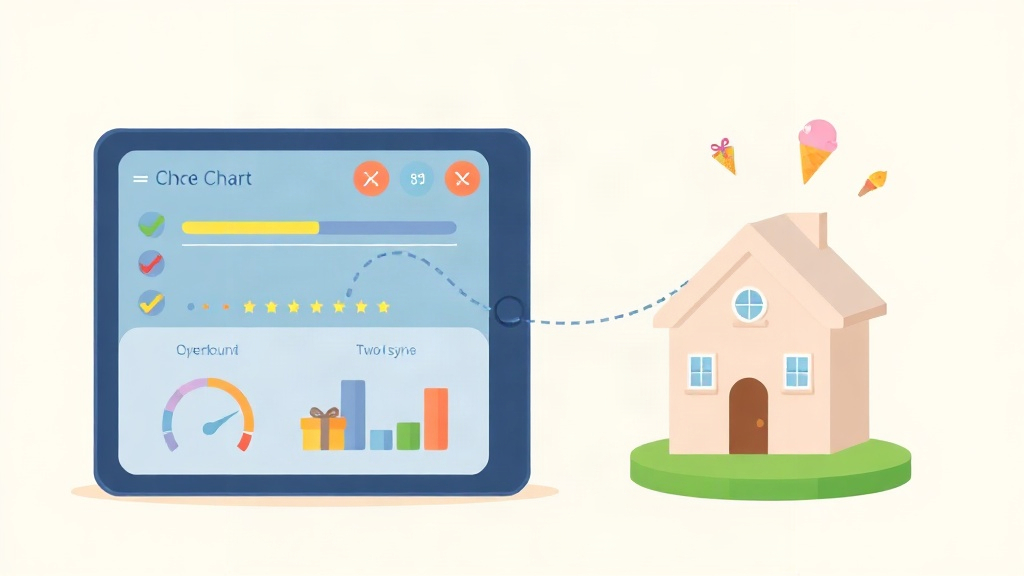
Quick Answer: A reward chart app replaces the paper chart with a shared digital system: parents assign tasks, kids earn points, and rewards get redeemed. KidKarma is a paid app with a 14-day free trial, card required, every feature included, then from $4.99/month. Two-Home Sync is included on every plan.
A reward chart app does what a paper chart cannot: it assigns tasks, tracks points, approves completion, and syncs between two homes. KidKarma is a paid app with a 14-day free trial, card required, every feature included. After the trial, plans start at $4.99/month or $29.99/year.
Most reward chart results you find are app-store listings or bare landing pages. They rarely state the price after the trial or explain how points work across two homes. This page states both, in plain English, using KidKarma's published terms.
What Is a Reward Chart App?
A reward chart app is a mobile tool where parents assign chores and behaviors, kids earn points for completing them, and points get redeemed for rewards the family chooses. It replaces stickers and paper grids with a shared dashboard that both parents and kids can see.
KidKarma is one example. The app's own description puts it simply: "Kids earn points for completing tasks, unlock rewards, and build positive habits while parents stay organized and connected." The tagline is shorter still: "KidKarma gives kids the list. You stop repeating yourself."
The difference from a paper chart is approval. A paper chart trusts a sticker. An app records who completed what, when, and whether a parent approved it. That record matters when two adults share the same child's routine.
You can see the full feature list on the KidKarma app page.
How KidKarma Works as a Reward Chart App
The best app for tracking kids' points and rewards lets kids earn points for tasks, lets parents approve completion, and shows progress clearly. KidKarma covers all three, and it syncs between co-parents so both guardians see the same totals and approvals.
Four steps run the whole system:
- Parents create tasks with point values and deadlines.
- Kids complete tasks and request point approval.
- Parents review and approve with one tap.
- Kids redeem points for family-chosen rewards.
Every feature is included in the 14-day free trial, and Two-Home Sync is on every plan, Plus or Family. If you are comparing this app against others on the market, the 2026 chore and allowance app comparison breaks down six options side by side.
Task Creation and Approval
Task creation is where parents set up each chore with a point value, a deadline, and a repeat schedule: daily, weekly, or custom. You can pick from age-appropriate chore suggestions or build your own list for each child.
Smart reminders nudge kids toward deadlines without a parent repeating the request. Kids log in by scanning a QR code from the parent's phone, so there is no email address or password for a young child to manage.
Approval is the parent's side of the loop. When a child marks a task done, it waits for a one-tap approval before points land. Gentle penalties let you deduct points for missed responsibilities while keeping motivation positive.
Pro Tip: KidKarma Plus includes unlimited kids, tasks, and rewards, so adding a second or third child does not change the plan.
Point Tracking and Reward Redemption
Point tracking records every task, penalty, and reward in one running total per child. Kids see their balance grow, and parents see the same number on their own screen.
Reward redemption works the other way around. You create custom rewards your family values, such as an ice cream trip, screen time, or a movie night. Kids save points and redeem them when they have enough.
One Google Play reviewer described the setup this way: "UI is clean; my daughter loves the colors. Customizable tasks, penalties, rewards with points." That mix of customization is what keeps a points system usable as kids grow and chores change.
Progress Charts
Progress charts turn a week of chores into a visual pattern a child can read at a glance. Streaks, completed tasks, and point totals show up in charts, and activity history adds calendar views and date-range filtering for parents.
Seeing progress is the part that keeps kids going. A Google Play user wrote: "Good app which keeps kids motivated to achieve daily routine activities on schedule and by themselves." An App Store reviewer, OliviaHostland, called it "great for organizing daily tasks for kids."
If your chart stops working after a few weeks, the problem is usually the reward design, not the child. The guide to reward systems that actually work covers how to adjust points and rewards over time.
Pricing and Free Trial
KidKarma is a paid app with a 14-day free trial, card required. Every feature is included during the trial, and you are not charged if you cancel before the trial ends.
A reminder lands on day 11, four days before your trial ends. You can cancel anytime in your App Store or Google Play subscription settings before the trial ends.
| Plan | Price | What it covers |
|---|---|---|
| Free trial | 14 days, card required | Every feature, every plan, no limits |
| KidKarma Plus | $4.99/month or $29.99/year | Two parents or guardians; unlimited kids, tasks, and rewards |
| KidKarma Family | $7.99/month or $49.99/year (save 47%) | Annual billing option for the full family setup |
There is no free version. As the app states: "We run no ads and sell no data, so subscriptions are what keep the lights on." If you want to see how the plans line up against another family rewards product, the KidKarma vs Familyrewards guide walks through the differences.
Co-Parent Sync Across Two Homes
Co-parent sync means both parents or guardians share one dashboard and both get approval notifications. KidKarma includes this on every plan, Plus or Family, monthly or yearly.
That matters most when a child moves between two homes. A task approved at one house shows up as approved at the other, so points never reset and neither parent has to re-ask. The same point total follows the child.
Two parents or guardians are covered on KidKarma Plus, which the app describes as "everything you need to run chores and rewards, in one home or two." Consistency across households is usually what makes a reward system hold up. The parent guide to rewarding good behavior explains how to keep rules aligned when two homes are involved.
Reality Check: A reward chart only works if both homes apply the same rules. If one parent approves tasks the other does not recognize, points lose meaning fast.
Privacy and No Ads
KidKarma runs no ads and sells no data. Children's accounts are fully managed by parents, there is no data sharing with third parties, and data collection is minimal.
That design follows from the business model. Subscriptions pay for the app, so there is no advertising network inside it and no reason to profile a child. Kids log in with a QR code from a parent's phone rather than an email address, which keeps a young child's account under a parent's control.
For parents who have looked at free chart apps and wondered what the catch is, this is the trade-off: a paid subscription instead of ads. The 14-day free trial lets you test the full app before any charge.